QR menu design templates
Menu QR design should stay readable from a table edge and obvious in purpose. Board Specials uses a clear border and leafy green palette suited to printed menus, table tents, and laminated cards.
Featured in this collection
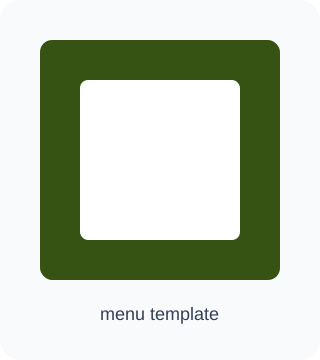 Board SpecialsReadable menu-board look for QR links to digital menus.
Free static QR code generator
Create a QR code in seconds
Start from a common use, or choose a type, customize the look, and download. Nothing is saved.
Need many URL QR codes with the same design?
Bulk QR codesQuick start
One tap sets the QR type, template, and frame label. Your details stay in the form.
1. Add content
3. Preview & download
Live preview
PNG includes the frame, label, and background when selected. SVG exports the scalable QR artwork for print and editing.
About these templates
Link to a mobile-friendly menu page that loads quickly on cellular networks — Google Sheets, Drive PDFs, or your own site all work.
For printed table tents and laminated cards, aim for a QR code at least 30 mm (about 3 cm) square with 5 mm of quiet space around every edge.
Guests should be able to scan from roughly 25–40 cm while seated. Test at that distance before you laminate or order bulk prints.
Set short frame labels guests understand at a glance: View menu, Scan for menu, or in Thai: ดูเมนู, สแกนดูเมนู, เมนูออนไลน์.
Avoid putting the entire menu text inside the QR payload — use a URL instead so you can update dishes without reprinting when the link stays the same.
Board Specials pairs a menu-board look with a readable label frame. Replace the placeholder logo with yours before sending files to print.
How to use this template
- 1
Select the Board Specials menu template and check the preview image above.
- 2
Paste the HTTPS link to your digital menu (Sheet, PDF, or web page).
- 3
Set a short frame label — English or Thai — that tells guests what happens after the scan.
- 4
Download the PNG, print at least 30 mm square, and test-scan from a seated position before laminating.
Frequently asked questions
What print size works on restaurant tables?
Aim for at least 30 mm (3 cm) square for the QR itself, plus quiet space around it. On A6 table tents (105 × 148 mm), place the code in the upper third so it is not hidden by condiments.
How far away should guests be able to scan?
Test from 25–40 cm — typical seated distance at a table. If the scan fails, increase the QR size or raise error correction before reprinting.
Can one menu QR serve multiple languages?
Yes. Point it to a landing page that lets guests choose Thai, English, or other languages.
Will updating the online menu break the QR?
No, as long as the URL stays the same. Change prices on the linked page first; download a new PNG only when the URL changes.
Related templates
Popular specialized use cases
QR menu design for Thai restaurants
Free in the browser. No account. Sheet, Drive, and Thai frame labels supported.
Free WiFi QR Code — No Signup
No signup. Passwords stay in your browser. Nothing is saved on our servers.
Google Review QR Code for Shops
Mobile-friendly design. Framed review link. No signup.
Free cafe QR menu design
Free, no signup, with cafe templates, print-size guidance, and live preview.
LINE OA QR code for shops and restaurants
Paste your OA add-friend link. Style the frame for print. No signup on this site.
Business Contact / Digital Business Card QR Code
Great for events and sales meetings. No signup required.